Translation API Documentation
Here's an example of Mod Menu's translations into Pirate Speak. To create your own, simply replace `modmenu` at the end (***NOT*** the one in the beginning) of the translation key with your own mod ID, for example `modmenu.descriptionTranslation.traverse`. `en_pt.json` ```json "modmenu.nameTranslation.modmenu": "Menu o' mods!", "modmenu.descriptionTranslation.modmenu": "Menu o' mods ye installed matey!", "modmenu.summaryTranslation.modmenu": "Menu o' mods ye installed matey!" ``` > The summary translation is redundant here and does not need to be included because it's the same as the description, but it was included to show that you may translate the summary (a short, one-sentence description of the mod) separately from the description, even in English!Fabric Metadata API Documentation
#### Badges (`"badges": [ ]`) While the `Client` badge is added automatically to mods set as client-side only (set `"environment": "client"` in `fabric.mod.json` to do this.), other badges such as the `Library` and `Deprecated` badges require definition here. Supported values: - `library` - should be assigned to mods that are purely dependencies for other mods that should not be shown to the user by default unless they toggle them on. - `deprecated` - should be assigned to mods that exist purely for legacy reasons, such as an old API module or such. Any others will be ignored, and Mod Menu does not support adding your own badges. You may open an issue [here](https://github.com/TerraformersMC/ModMenu/issues) if you have a compelling use case for a new badge. #### Links (`"links": { }`) The `links` object allows mod authors to add custom hyperlinks to the end of their description. If you specify a `sources` contact in the official `fabric.mod.json` metadata, it will also be included in the links section. Any key in the `links` object will be included in the links section, with the key being used as a translation key. For example, this: `fabric.mod.json` ```json "custom": { "modmenu": { "links": { "modmenu.discord": "https://discord.gg/jEGF5fb" } } } ``` will show as a link with the text "Discord", since "Discord" is the English translation of "modmenu.discord" provided by Mod Menu. Mod Menu provides several default translations that can be used for links. A full list can be seen in Mod Menu's language file [here](https://github.com/TerraformersMC/ModMenu/blob/-/src/main/resources/assets/modmenu/lang/en_us.json). All default link translation keys take the form `modmenu.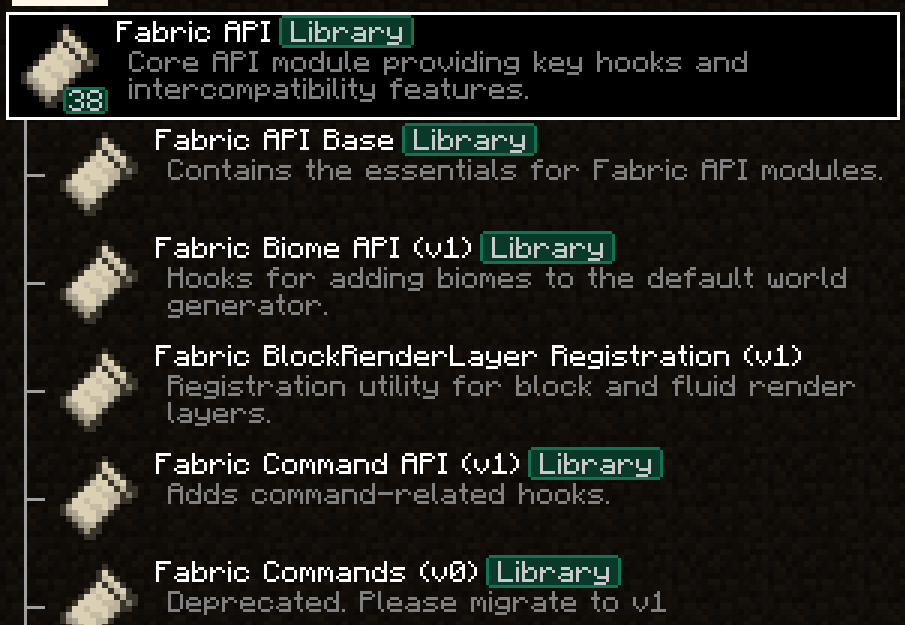 Parents are used to display a mod as a child of another one. This is meant to be used for mods divided into different modules. The following element in a `fabric.mod.json` will define the mod as a child of the mod 'flamingo':
`fabric.mod.json`
```json
"custom": {
"modmenu": {
"parent": "flamingo"
}
}
```
However, if you want to group mods under a parent, but the parent isn't an actual mod, you can do that too. In the example below, a mod is defining metadata for a parent. Make sure that this metadata is included in all of the children that use the fake/dummy parent. This can also be used as a fallback for an optional parent, it will be replace by the mod's real metadata if present.
`fabric.mod.json`
```json
"custom": {
"modmenu": {
"parent": {
"id": "this-mod-isnt-real",
"name": "Fake Mod",
"description": "Do cool stuff with this fake mod",
"icon": "assets/real-mod/fake-mod-icon.png",
"badges": [ "library" ]
}
}
}
```
Dummy parent mods only support the following metadata:
- `id` (String)
- `name` (String)
- `description` (String)
- `icon` (String)
- `badges` (Array of Strings)
#### Disable update checker (`"update_checker": false`)
By default, Mod Menu's update checker will use the hash of your mod's jar to lookup the latest version on Modrinth. If it finds a matching project, it will check for the latest version that supports your mod loader and Minecraft version, and if it has a different hash from your existing file, it will prompt the user that there is an update available.
You can disable the update checker by setting `update_checker` to false in your Mod Menu metadata like so:
`fabric.mod.json`
```json
"custom": {
"modmenu": {
"update_checker": false
}
}
```